
Introduction
Every day, billions of people around the world open their email inbox to start their morning. For most, that inbox lives inside a free service like Gmail, Outlook, or Yahoo Mail. The price tag reads “$0,” and the experience is undeniably convenient—powerful search, generous storage, seamless integration with calendars and cloud drives, and AI-powered features that feel like magic.
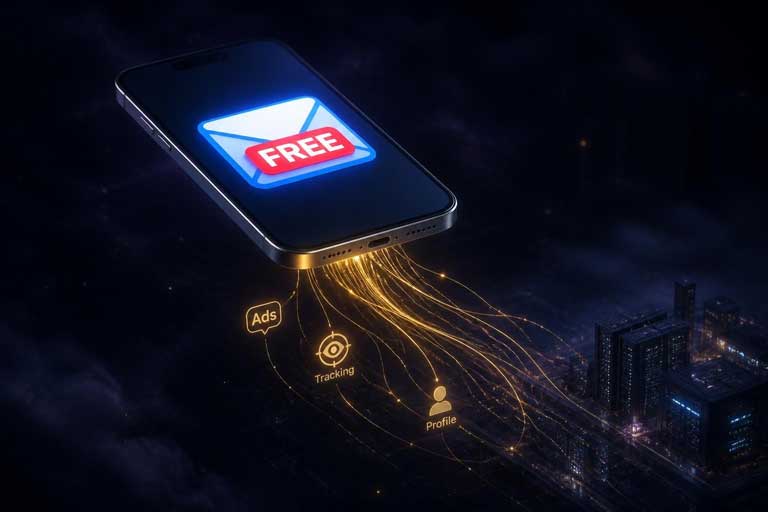
But here’s the uncomfortable truth: nothing is truly free. When you don’t pay for a product, you are the product. Free email services are among the most sophisticated data-collection machines ever built, and understanding what’s happening behind the scenes is critical for anyone who cares about their digital privacy, security, and long-term control over their online identity.
In this comprehensive guide, we’ll explore the real tradeoffs between paid and free email services, examine how companies offer “free” email to millions of users, and help you make an informed decision about what kind of email service aligns with your needs, values, and budget.
How Can Companies Offer Free Email? The Business Model Explained

At first glance, the economics of free email seem baffling. Gmail offers 15 GB of storage. Outlook provides 15 GB. Yahoo Mail gives you 1 TB. These are enormous costs in terms of server infrastructure, bandwidth, and engineering. So how do Google, Microsoft, and Yahoo afford to give all of this away for free?
The answer lies in one word: data.
The Surveillance Business Model
Free email providers operate on what privacy researchers call a surveillance business model. When you sign up for a free Gmail account, you’re not receiving a charitable service—you’re entering a commercial transaction where your personal information, behavioral patterns, and digital attention become the product being sold.
Here’s what that means in practice:
- Targeted Advertising: Google scans the content of your emails (along with your search history, YouTube activity, location data, and more) to build detailed user profiles. These profiles are then used to serve highly targeted advertisements across Google’s vast ad network, which generated over $250 billion in revenue in 2023.
- Cross-Platform Data Integration: Gmail is owned by Google, which also operates Search, Maps, YouTube, Android, Chrome, and dozens of other services. Google’s privacy policy explicitly states that data is connected across services, meaning the company constructs comprehensive profiles showing what you search for, where you travel, what videos you watch, and what you discuss in emails—creating a 360-degree behavioral surveillance profile.
- Real-Time Bidding: When you visit any website that displays ads, your personal information is broadcast to thousands of companies in real-time bidding auctions. Your device identifier, geographic location, browsing history, and inferred interests are shared with ad networks that compete to show you the most relevant (or most profitable) advertisement. Every bid request exposes your personal information to potentially thousands of companies.
- Machine Learning Training: The massive volume of email data helps train Google’s AI and machine learning models, improving everything from spam detection to search algorithms to language translation. This data becomes a competitive advantage that competitors without access to it simply cannot match.
- Indirect Monetization: Free email drives users into the broader Google ecosystem—Google Drive, Google Photos, Google Workspace, Google Play, and more. The more services you use, the more locked in you become, and the more valuable your data becomes to advertisers.
The Scale of the Operation
Gmail has over 1.8 billion active users worldwide. Microsoft’s Outlook.com has over 400 million accounts. Yahoo Mail serves 220 million users. Together, these three providers scan and analyze trillions of emails every single day. The scale of this operation is unprecedented in human history—no individual has ever been monitored, catalogued, and profiled on this scale before.
What Does This Mean for the End User?
Understanding the business model is one thing. Understanding the real-world consequences for you, the user, is another. Here’s what you’re actually giving up when you use a free email service.
1. Privacy Erosion
Every email you send is scanned for keywords, topics, and patterns. Your contacts, your interests, your health information, your financial situations, your political leanings—all of it is collected and analyzed. A Pew Research Center survey found that 81% of Americans believe the information companies collect will be used in ways people are not comfortable with, and 80% expect their information will be used in ways that were not originally intended.
Even if you opt out of personalized ads, Google still collects and stores your data. Opting out merely stops them from using it for ad targeting—it doesn’t stop the collection.
2. Security Vulnerabilities
When your email data is centralized in one massive database, it becomes a prime target for cybercriminals. The average cost of a data breach in the United States now reaches $10.22 million, with healthcare breaches averaging an even higher $7.42 million. When your email is compromised, attackers gain access to password resets, financial communications, personal photos, and sensitive correspondence.
Furthermore, on the dark web, hacked Gmail accounts sell for approximately $60 each, with more comprehensive data packages commanding significantly higher prices. Your email address is not just an address—it’s the master key to dozens of other online accounts.
3. Loss of Control
With a free email service, you don’t own your data—you license it. The provider can:
- Change their terms of service at any time
- Modify or delete your account for alleged policy violations
- Introduce new data-collection practices retroactively
- Shut down the service entirely (as seen with Google shutting down Google Plus, Google Hangouts, and numerous other services)
- Hand over your data to law enforcement without your consent (Google complies with government data requests regularly)
You are building years of digital relationships, sending and receiving thousands of emails, and integrating your life around an account that you don’t actually control.
4. Behavioral Manipulation
The “Social” and “Promotions” tabs in Gmail are not neutral organizational tools. They are designed to keep you engaged with advertising content, commercial newsletters, and social media notifications. Research shows that these features increase time spent in the Gmail interface by significant margins, generating more ad impressions and more data.
The Tradeoffs: Free vs. Paid Email Services
Now let’s look at the concrete differences between free and paid email services across the dimensions that matter most.
Privacy and Security
| Feature | Free Email | Paid Email |
|---|---|---|
| End-to-End Encryption | ❌ No (only TLS in transit) | ✅ Yes (Proton, Tuta, etc.) |
| Data Scanning for Ads | ✅ Yes (by design) | ❌ No (by policy) |
| Zero-Access Encryption | ❌ No | ✅ Yes (providers can’t read your data) |
| Anonymous Sign-Up | ❌ Requires phone/email verification | ✅ Possible (no personal info needed) |
| Two-Factor Authentication | ✅ Available | ✅ Available (often with hardware key support) |
| Metadata Protection | ❌ IP addresses logged | ✅ Metadata hidden or minimized |
| Legal Data Requests | Compliant with US CLOUD Act | Often based in privacy-friendly jurisdictions (Switzerland, EU) |

Storage and Features
| Feature | Free Email | Paid Email |
|---|---|---|
| Storage | 15 GB (Gmail) / 15 GB (Outlook) | 15 GB – 500 GB+ (varies by provider) |
| Custom Domain | ❌ No | ✅ Yes ([email protected]) |
| Email Aliases | Limited or none | Unlimited aliases (hide-your-real-email) |
| Custom Email Addresses | One per account | Multiple addresses (10–15+) |
| Advanced Search | Basic (Gmail is excellent) | ✅ Advanced filtering and search |
| Email Client Support | IMAP/SMTP available | ✅ IMAP/SMTP (often included in paid tiers) |
| Schedule & Snooze | ✅ Gmail offers this | ✅ Included |
| Priority Support | ❌ None | ✅ Priority customer support |
| Ad-Free Experience | ❌ Ads in inbox | ✅ Completely ad-free |
Reliability and Longevity
Paid email services offer a fundamentally different relationship with longevity. When you pay a subscription, you have a contractual relationship with guarantees around uptime, data retention, and service continuity. Free services operate at the provider’s discretion—they can change terms, reduce features, or shut down the service with little to no notice.
Paid services also typically offer Service Level Agreements (SLAs) guaranteeing 99.9%+ uptime, dedicated support teams with guaranteed response times, and professional infrastructure that free services simply cannot match at the same scale.
Top Paid Email Service Providers (2026)

Here’s a breakdown of the most popular paid email providers and what they offer:
Proton Mail
Based in: Switzerland
Free tier: 1 GB storage, 1 email address, 150 messages/day
Paid plans: Mail Plus ($3.99/mo), Unlimited ($9.99/mo)
Key features: End-to-end encryption, zero-access architecture, custom domains (paid), hide-my-email aliases, encrypted calendar, encrypted drive, encrypted password manager, VPN (in Unlimited plan), dark web monitoring, emergency access, Proton Scribe AI assistant.
Proton is built on the principle that privacy is a fundamental right, not a premium feature. Their free tier is generous enough for most users to try the service, and their paid tiers offer a comprehensive privacy suite that goes far beyond email.
Tuta (formerly Tutanota)
Based in: Germany
Free tier: 1 GB storage, encrypted email
Paid plans: Starting around €1/mo for personal, €5/mo for business
Key features: End-to-end encryption for all data (not just email), open-source software, anonymous sign-up, custom domains, encrypted calendar and contacts, built-in VPN, auto-delete spam and trash, catch-all email addresses.
Tuta encrypts everything—emails, contacts, calendar, and files—with a single subscription. Their German jurisdiction provides strong GDPR protections, and their open-source code allows independent security audits.
StartMail
Based in: Netherlands
Paid plans: Starting at $3.99/mo
Key features: Disposable email aliases, custom domains, end-to-end encryption, privacy-focused infrastructure, no data selling policy, integration with Proton Drive.
StartMail specializes in alias-based privacy, giving users hundreds of disposable email addresses that forward to their real inbox. This makes it easy to compartmentalize your online identity across different services.
Zoho Mail
Based in: India / USA
Free tier: 5 GB per mailbox, 1 custom domain
Paid plans: Starting at $1/mo (annual billing)
Key features: Custom domain email, ad-free interface, mobile apps, calendar, contacts, advanced admin controls, compliance certifications (HIPAA, SOC 2), email archival and eDiscovery.
Zoho is particularly strong for small businesses and professionals who need a custom domain email without the premium price tag. Their free tier is one of the best in the industry for business email.
How to Decide: Which Email Service Is Right for You?
The right choice depends on your specific needs, threat model, and budget. Here’s a framework for making the decision:
Stick with Free Email If:
- You’re a casual user with no sensitive communications
- You value convenience and ecosystem integration over privacy
- Your budget doesn’t allow for a paid service
- You’re comfortable with Google’s or Microsoft’s data practices
- You don’t need a custom domain or professional email address
Consider Paid Email If:
- You regularly communicate sensitive information (legal, medical, financial)
- You value privacy and want to opt out of surveillance capitalism
- You need a custom domain for professional branding
- You want unlimited email aliases to protect your real address
- You’re concerned about data breaches and want zero-access encryption
- You need reliable customer support and service guarantees
- You want to reduce your digital footprint and behavioral profiling
The Middle Ground: Email Clients That Protect Privacy
If you’re not ready to abandon Gmail or Outlook entirely, consider using a privacy-respecting email client like Mailbird, Thunderbird, or K-9 Mail. These clients:
- Store your email data locally on your device rather than on company servers
- Block tracking pixels and prevent senders from knowing when you’ve read emails
- Allow you to manage multiple email accounts in one unified interface
- Provide granular privacy controls over what data is shared
- Don’t scan your emails for advertising purposes
This approach lets you maintain your existing email addresses while substantially improving your privacy protection.
The Growing Privacy Movement
The shift toward paid email services reflects a broader cultural movement. According to Pew Research, 71% of consumers say they would stop doing business with a company if it mishandled their personal data, and 52% of Americans have chosen not to use a product or service due to worries about data collection.
Regulatory frameworks like the EU’s GDPR and the California Consumer Privacy Act (CCPA) are pushing the industry toward greater transparency. Yet the fundamental economics remain unchanged: free email services will always prioritize their revenue model over your privacy, because that revenue model is their reason for existing.
The question isn’t whether free email services are “bad”—they’re remarkably capable tools. The question is whether the tradeoff between convenience and privacy is worth it for you.

Conclusion: You Always Have Options
The “free” email services that power our digital lives are built on an elegant but uncomfortable economic model: your data is the currency, and every email you send is a transaction. Understanding this reality is the first step toward making an informed choice.
For most people, the answer isn’t necessarily to abandon Gmail or Outlook overnight. The switching costs are real—years of contacts, saved emails, and integrated services create significant inertia. But the answer is to be deliberate about your choices:
- Use different email addresses for different purposes. Keep your primary address for important communications and use aliases or secondary accounts for sign-ups and casual interactions.
- Consider a privacy-focused email for sensitive communications. Services like Proton Mail or Tuta offer end-to-end encryption at a cost of less than $5/month—less than most streaming subscriptions.
- Use a privacy-respecting email client. Tools like Mailbird, Thunderbird, or K-9 Mail let you keep your existing accounts while blocking tracking pixels and reducing data leakage.
- Review your privacy settings regularly. Even within Gmail or Outlook, you can limit ad personalization, review connected apps, and reduce data collection.
- Consider a custom domain email for professional use. Services like Zoho Mail offer professional email at a fraction of the cost of enterprise solutions.
The bottom line? When it comes to email, “free” always comes with a price tag—it’s just not one you pay with your credit card. Understanding what that price really is—and whether you’re willing to pay it—is the most important decision you’ll make about your digital life.
What’s your email strategy? Are you a free service loyalist, a paid privacy advocate, or somewhere in between? Share your thoughts in the comments below.